- New




228 Bush Road, Rosedale | Mon–Sat 9:30–4:30

Auckland Local Stock
Authorized NZ Distributor – Marvle3D
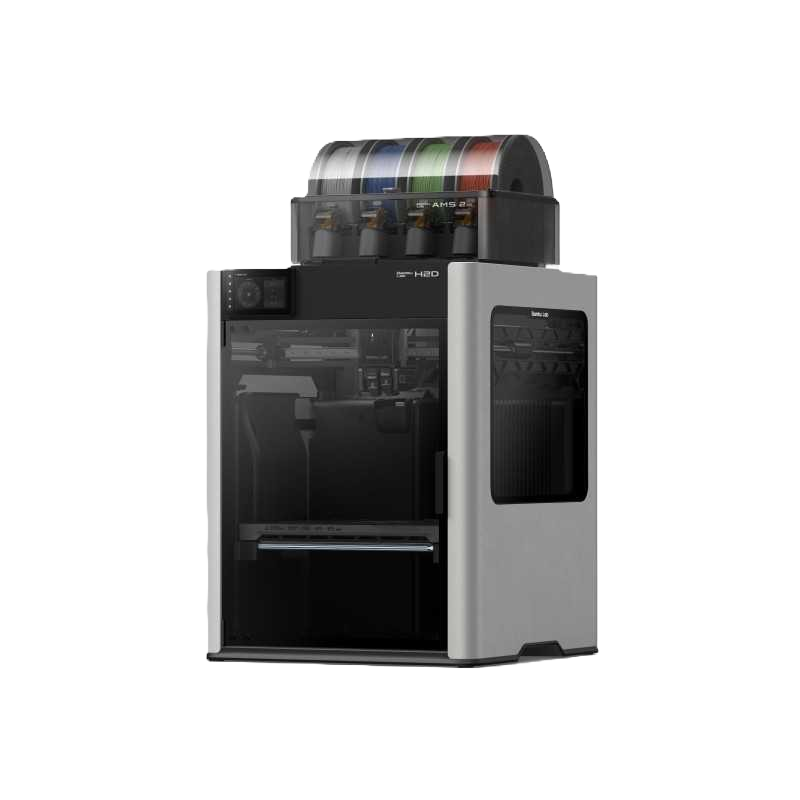
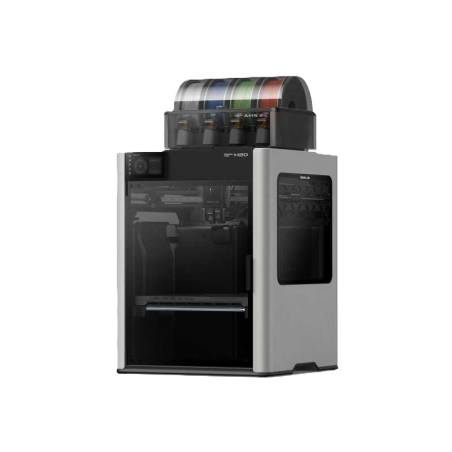
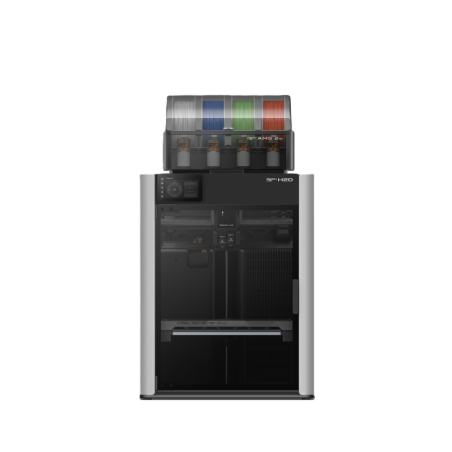
*Bambu Lab 3D Printer - H2D Combo With AMS 2 Pro Included - 325 x 320 x 325 MM
-Dual extruders for multi-material printing
-AMS 2 Pro supports up to 16 colors
-Large 325x320x325mm build volume
-Modular system for printing and add-on tools
-High speed and precision performance
Included:
- Bambu Lab H2D ✓
- textured PEI Plate ✓
- Spool Holder ✓
- Accessory Box ✓
- AMS 2 Pro ✓
- Safety Key ✓
Accessories:
- BuildPlate
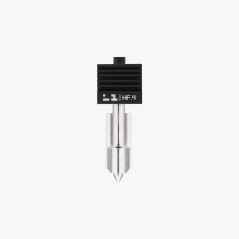
- Nozzle
- BIQU Upgrades
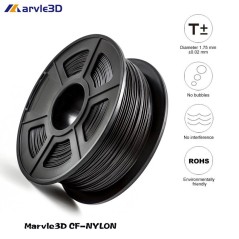
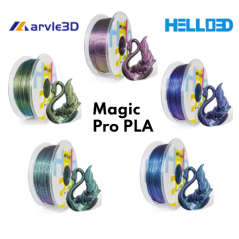
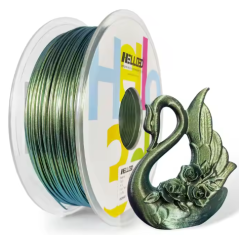
- Filament
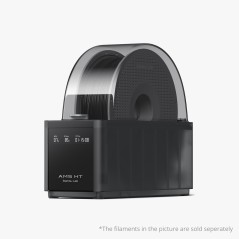
Compatible AMS: AMS, AMS 2 Pro and AMS HT
Why Marvle3D?
Marvle3D—New Zealand’s expert since 2016, offering friendly support, in-store demos, and one of the country’s largest ranges.
 Security policy(edit with the Customer Reassurance module)
 Delivery policy(edit with the Customer Reassurance module)
 Return policy(edit with the Customer Reassurance module)
---
Bundle Details — Included Items:
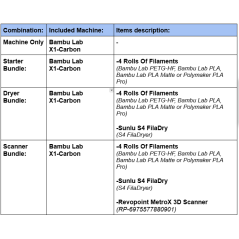
Printer Only — H2D + Filament Buffer + AMS 2 Pro
Starter Bundle — H2D + Filament Buffer + AMS 2 Pro + 4 Filament Rolls
Dryer Bundle — H2D + Filament Buffer + AMS 2 Pro + 4 Filaments Rolls + Sunlu S4 FilaDryer
Scanner Bundle — H2D + Filament Buffer + AMS 2 Pro + 4 Filaments Rolls + Sunlu S4 FilaDryer + Metro X 3D Scanner (Advanced Edition)
Note:
Please specify your color choices in the delivery note. If no colors are selected, we’ll include a mix of mystery colors.
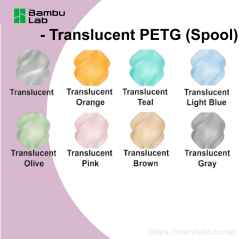
Filament options include Bambu PLA, Bambu PLA Matte, Bambu PETG-HF, and Playmaker PLA Pro.
SKU:
Filament- A00-1.75-1000-SPL Basic/ A01-1.75-1000-SPL/ G02-1.75-1000-SPL/ PolyLite™ PLA Pro
Sunlu S4 FilaDryer- S4 FilaDryer
Metro X 3D Scanner (Advanced Edition)- RP-6975577880895
---
| Product Specifications: | Download/ Open PDF |
Introduction to H2D Machine With AMS 2 Pro:
Dedicated Support Material:
The H2D’s dual-nozzle system allows one nozzle to be reserved for support material, delivering secure prints with clean support interfaces while minimizing waste, purging, and reloading..png)
Dedicated Support Material for Cleaner, Easier Printing:
With the H2D’s dual-nozzle system, one nozzle can be reserved exclusively for support material, delivering secure prints, clean support interfaces, and minimal waste—eliminating the need for excessive purging or reloading.
Efficient Multi-Color Printing
Achieve fast, efficient multi-color prints with dual-nozzle technology that minimizes purge cycles. The H2D’s smart algorithms optimize filament usage, maximizing dual-nozzle efficiency while saving both time and materials.
King-Size Work Zone — Break Free from Size Limits:
With a spacious 350×320×325 mm build volume, creating large-scale projects becomes effortless. From laser engraving bigger objects to printing oversized models, the expanded capacity gives you the freedom to tackle ambitious ideas and bring your boldest creations to life.
350°C Hotend & 65°C Chamber Heating — Unlock High-Performance Materials:
With a 350°C high-temperature hotend and 65°C active chamber heating, the H2D maintains precise closed-loop thermal control. This advanced system minimizes warping and deformation in high-performance materials, ensuring strong layer adhesion and enabling these materials to reach their full potential.
True High-Flow Performance, No Compromises:
Engineered for speed, the H2D’s purpose-built high-flow hotend delivers stable, reliable printing at up to 600 mm/s, eliminating flow bottlenecks mid-print and maintaining consistent extrusion across large, complex jobs without interruption.
A Smarter, Safer Experience — Nozzle Camera Monitoring:
The H2D includes an AI-enhanced nozzle camera with a precision macro lens, allowing real-time monitoring directly at the nozzle tip. This intelligent system tracks extrusion patterns continuously and can instantly detect issues such as material buildup or irregular flow, ensuring safer, more reliable printing.
DynaSense Extruder- Intelligent extrusion control, driven by real-time sensing
Bambu Lab’s proprietary PMSM servo architecture forms an advanced extrusion control system, sampling torque, resistance, and position at 20 kHz to dynamically adjust electromagnetic forces—ensuring stable extrusion while actively detecting filament grinding and clogs in real time.
Pre-Flight Checklist by AI — Peace of Mind Every Print:
Before every job, the H2D’s vision system runs a full AI-powered pre-flight inspection. It performs a chamber integrity scan to detect debris on the print surface, a hardware configuration audit to identify nozzle size and build plate properties, and a digital-physical alignment check to ensure all detected hardware matches the active slicer settings for safe, error-free printing.

Dry Filament Quickly and Intelligently:
The electromagnetic air vent automatically opens during drying for efficient dehumidification, then seals airtight to preserve filament quality for weeks. During the drying cycle, filament spools rotate automatically, ensuring even, consistent drying across the entire spool.
Intelligent Filament Drying & Sealed Storage
The electro-magnetic air vent enables automated venting for efficient dehumidification during drying, then seals airtight to maintain low humidity and preserve filament quality for extended periods of reliable printing.
Automatic Spool Rotation for Even Drying
During the drying process, the filament spools automatically rotate to promote consistent airflow and ensure more uniform moisture removal across the entire spool.
RFID-Based Automatic Filament Recognition
AMS 2 Pro uses RFID to automatically recognize Bambu official filaments and apply the correct drying settings, eliminating the need for manual configuration.
High-Speed Filament Feeding for Faster Multi-Material Printing
The Bambu permanent magnet synchronous servo motor increases filament feeding speed by up to 60%, improving multi-material printing efficiency and saving an average of about 10 minutes for every 100 filament changes.
Sync With Bambu Studio and Bambu Handy
Control and monitor your P1S remotely using Bambu Studio or the Bambu Handy app. The built-in camera lets you check print progress anytime and even record timelapse videos. Enjoy seamless connectivity and smarter printing from anywhere.

Frequently asked questions:
Note: All answers are copied from Bambu Office website. They are from Bambu point of view.
1. Q: Can H2D be upgraded to H2D Laser Edition?
1. A: The H2D laser full combo has a built-in air pump and air pipe on the back of the printer, and is pre-installed with a BirdsEye camera. The front door, left and right side Laser Protective Windows, and top cover are all designed with laser protection. The packaging list includes a laser module, a cutting module, a smoke exhaust pipe and its adapter, as well as an emergency stop button. We plan to launch a laser upgrade kit for the non-laser version of H2D. The upgrade kit is expected to be released in Q3 and will also provide installation instructional videos to help users complete the upgrade smoothly. It is important to note that the air pump in the upgrade kit is an external air pump, which has a different installation structure from the built-in air pump in the full set. When using it, it can only be installed externally and connected to the machine through an air tube.
2. Q: Are the left and right hotends exactly the same
2. A: Yes, the left and right hotends have identical structures and materials, and can be used interchangeably.
3. Q: What is the maximum number of AMS 2 Pro and AMS HT units that the H2D supports? How many colors can it print at most?
3. A: The H2D supports a maximum of 4 AMS 2 Pro and 8 AMS HT connected simultaneously, a total of 12 units with 24 slots. Because H2D is a dual-hotend printer, and in the most extreme scenario, all AMS can be connected to one hotend while the other hotend uses an external spool holder, it can support up to 25 colors.
4. Q: Is H2D compatible with first generation AMS?
4. A: The first-generation AMS has been confirmed to have full plug-and-play compatibility and can be used with the H2D for multi-color printing, but it does not support the AMS drying function. Due to the fundamental differences in the feeding mechanism and buffering structure, the H2D does not support the AMS lite.
5. Q: AMS 2 Pro is directly connected to the printer through the 6-pin ports, so what are the two 4-pin ports on the back of the printer used for?
5. A: The two 4-pin ports on the back are reserved for future expansion accessories. For example, to upgrade a non-laser version of the printer to a laser version, one of these ports can be used to connect an external air pump.
6. Q: Can I use the A1 series Hotend on the H2D? Conversely, can H2D hotends be used on A1 series printers?
6. A: Although the hotend of the H2D series is similar to the A1 hotend in structure , it is not exactly the same. The H2D hotends are specifically designed for the H2D printer, offering optimized compatibility. For example, they support a larger maximum volumetric flow rate, lower clogging risk, more precise nozzle offset calibration between the left and right hotends, and automatic hotend type recognition via the live camera. Therefore, to ensure optimal print quality, it is strongly recommended not to use A1 hotends on the H2D printer. Therefore , to ensure you get the best print quality, we strongly recommend that you do not use the A1 hotend for H2D printers. Purchasing additional H2D hotends for use on A1 printers is feasible. However, you will also need to use the H2D hotend silicone sock.
7. Q: What are the differences between the 10W and 40W laser modules? How should I choose?
7. A: Both the 10W and 40W laser modules are blue light lasers that support processing a variety of materials, including wood, rubber, metal sheets, leather, dark acrylic, and stone. However, due to differences in power and size, there are the following distinctions: 1. Maximum cutting thickness (For Basswood plywood): 10W laser module: 5mm:/ 40W laser module: 15mm: 2. Maximum engraving speed(For Basswood Plywood): 10W laser module: 400mm/s:/ 40W laser module: 15mm/s: 3. Processable Area: 10W laser module: Maximum processing area X310mm * Y270mm, maximum processing height 280mm: 40W laser module: Maximum processing area X310mm * Y250mm, maximum processing height 265mm:
8. Q: Is a USB included as standard? What functions are affected without a USB?
8. A: The package does not include a standard USB flash drive. You can still initiate printing normally without a USB, as the printer has built-in storage space to run print files. However, without a USB inserted, the following functions will be affected: 1. The recording and time-lapse photography functions can't be turned on; 2. Printing cannot be initiated through the LAN; 3. Print files cannot be sent to the machine for storage through the studio; 4. Log files cannot be exported; USB requirements: USB2.0 protocol or above (actual minimum write speed needs to be greater than 10M/s), supported file formats are FAT32 and exFAT. And the printer only supports mounting one USB, and cannot connect multiple USB via a USB hub.
9.Q: Why can’t I freely select hotend for printing with the printer’s built-in files?
9. A: The hotend to be used for printing has already been determined when the model file is sliced. As for the built-in models, the right hotend has been selected during the slicing process, so it is impossible to change the hotend used for printing on the printer screen. When you slice the file in Bambu Studio and send the print task , you can freely choose to use the left hotend or the right hotend. For some filaments, such as TPU and PPS/PPA-CF, it is recommended to use specific hotends for printing. For more details on H2D filament printing, please check the https://wiki.bambulab.com/en/h2/h2d-filament-printing-guide
10. Q: Will the smoke and dust generated by laser operations affect my printer's precision and lifespan?
10. A: H2D is equipped with an efficient exhaust system that effectively removes smoke and dust generated by laser operations, significantly reducing contamination. During R&D, we conducted rigorous testing to ensure that with regular machine cleaning, the impact of smoke and dust on performance and precision is negligible. For detailed cleaning instructions, please refer to: https://wiki.bambulab.com/en/h2/maintenance/period-maintenance
11. Q: How can I improve the success rate and quality of TPU printing?
11. A: Due to the flexible nature of TPU filaments, there are some operational issues that can arise during feeding and printing. To facilitate TPU printing, we have created a dedicated Wiki guide. Simply follow the instructions in the Wiki to successfully print with TPU filaments: https://wiki.bambulab.com/en/h2/h2d-tpu-printing-guide
12. Q: Are there any special safety precautions I need to take when using the laser function?
12. A: Because laser processing involves using high-energy lasers on potentially flammable materials, we strongly advise users not to leave the machine unattended during laser operations. Please maintain constant vigilance over the machine's operational status and ensure that there are no flammable or explosive materials in the machine's surroundings. For more information please refer to: https://wiki.bambulab.com/en/h2/laser-safety-document For more information about H2D, refer to the official: https://wiki.bambulab.com/en/h2d
Specific References
No customer reviews for the moment.
Auckland Local Stock
Authorized NZ Distributor – Marvle3D
*Bambu Lab 3D Printer - H2D Combo With AMS 2 Pro Included - 325 x 320 x 325 MM
-Dual extruders for multi-material printing
-AMS 2 Pro supports up to 16 colors
-Large 325x320x325mm build volume
-Modular system for printing and add-on tools
-High speed and precision performance
Included:
- Bambu Lab H2D ✓
- textured PEI Plate ✓
- Spool Holder ✓
- Accessory Box ✓
- AMS 2 Pro ✓
- Safety Key ✓
Accessories:
- BuildPlate
- Nozzle
- BIQU Upgrades
- Filament
Compatible AMS: AMS, AMS 2 Pro and AMS HT
Why Marvle3D?
Marvle3D—New Zealand’s expert since 2016, offering friendly support, in-store demos, and one of the country’s largest ranges.
![Hotend Silicone Sock for H2 [FAH022]](https://dev.marvle3d.co.nz/14194-home_default/bambu-lab-h2d-series-hotend-silicone-sock.jpg)