

- New




228 Bush Road, Rosedale | Mon–Sat 9:30–4:30

ETA is Late Jan 2026
Authorized NZ Distributor – Marvle3D
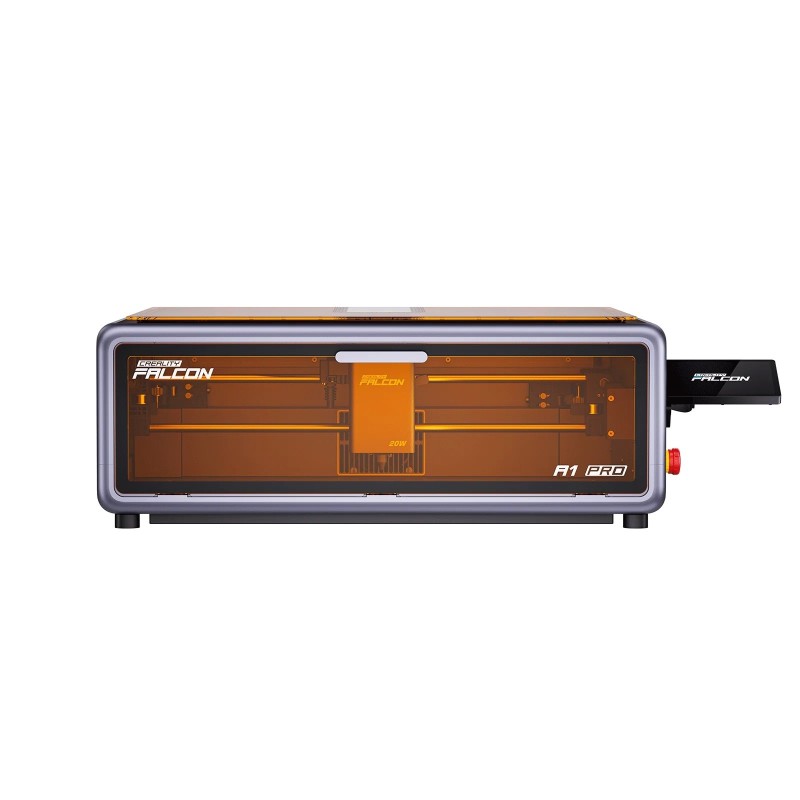
*Creality Falcon A1 Pro 20W Laser Engraver & Cutter 268 x 358 MM
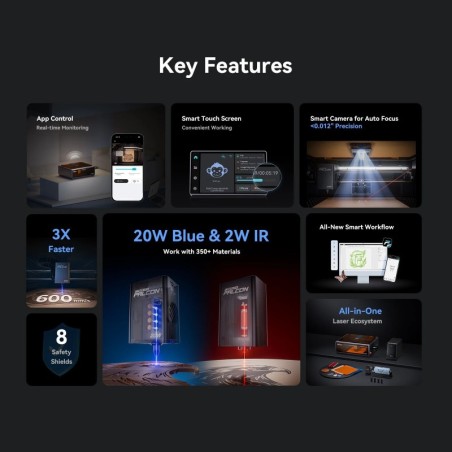
-20W diode laser with optional 2W IR module support
-Works with over 350 materials including wood metal and acrylic
-Smart camera with auto focus and <0.012 precision
-App control with real-time monitoring and 8 safety shields
-Compact all-in-one modular design with smart workflow
Why Marvle3D?
Marvle3D—New Zealand’s expert since 2016, offering friendly support, in-store demos, and one of the country’s largest ranges.
 Security policy(edit with the Customer Reassurance module)
 Delivery policy(edit with the Customer Reassurance module)
 Return policy(edit with the Customer Reassurance module)
| Product Specifications: | Open/Download PDF |
Dual Laser System for Maximum Material Versatility
Interchangeable laser modules give you the flexibility to work across an exceptionally wide range of applications. With support for two laser types, this system can process over 350 different materials, from wood, leather, and plastics to coated metals and specialty surfaces. Easily switching between laser modules allows you to optimise power, wavelength, and precision for each job, delivering cleaner engraves, sharper details, and more consistent cutting results. This modular approach ensures one machine can handle both everyday projects and advanced material requirements without compromise.
High-Power Cutting and Ultra-Fine IR Engraving
The 20W laser delivers powerful cutting performance on materials like thick wood, acrylic, and thin stainless steel, with engraving speeds up to 600mm/s. The 2W IR laser adds ultra-fine detail engraving with a 0.03mm laser spot and 1064nm technology, ideal for photos, jewellery, and precision marking.
Your Time Saved
Save time with the integrated Z-axis dual-cable buckle design, enabling true plug-and-play precision and module swaps faster than making a coffee.
Real-Time Monitoring, From Anywhere
Stay connected wherever you are. Real-time app monitoring lets you check progress anytime without staying by the machine.
Flame Detection,Instant Stop & Alert
AI-Powered Flame Detection for Instant Protection With advanced AI, the system detects flames in real time, instantly stops operation, and sends immediate alerts via the app. React quickly, stay safe, and prevent further risk—automatically.
AutoFocus with <0.012" Precision
Our AI vision system (integrating AI camera and red dot laser ranging) deliversInstant auto-focus activation within 3 seconds, maintaining <0.012" (<0.3mm)measurement accuracy for guaranteed first-cut perfection.
Top View Camera,
HD Vision Previews the entire area, helps you see and position your objects accurately for precise cuts and engravings.
Batch Engraving
Intelligently recognize shapes through the camera, and fill patterns on multiple objects.
Create in Fast Speed 600mm/s
Remain Consistant stability in high speed moving
Create Big in Large Aera, Create More in Batch Pocessing
Engrave Multiple Items at Once Maximising productivity

Frequently asked questions:
Note: All answers are copied from Creality Office website. They are from Creality point of view.
1. Q:What is the maximum working area?
1. A:The maximum working area is 1358mm × 268mm.
2. Q: What type of laser does it use?
2. A: Standard: 20W blue semiconductor laser, 455±5nm wavelength, ~0.08×0.10mm spot size. Optional: 2W infrared solid-state laser, 1064±1nm wavelength, ~0.03×0.03mm spot size.
3. Q: What happens if power is lost during operation?
3. A: The machine will stop where it is. After restarting, it will reinitialize but not resume the interrupted task.
4. Q: Why is engraving too shallow or not visible?
4. A: Ensure the image is clear. Focus the laser properly. Adjust power, speed, and number of passes.
5. Q: Will the laser damage the workbench?
5. A: Yes, especially with thin materials like paper. Use a metal or honeycomb plate underneath to protect the surface.
6. Q: Why does the light strip turn off during autofocusing?
6. A: To prevent interference with the red-dot ranging system, the lighting is dimmed automatically and resumes after autofocus
7. Q: What if the device doesn't power on?
7. A: Check power plug and socket. Turn on power and safety switches. Ensure emergency stop is not engaged.
8. Q: Do I need to wear goggles?
8. A: Despite the safety covers, it’s recommended to wear goggles during operation for additional protection.
9. Q: What are the effects of a loose timing belt?
9. A: Engraving will be deformed or misaligned (e.g., circles appear as ellipses).
Specific References
No customer reviews for the moment.
ETA is Late Jan 2026
Authorized NZ Distributor – Marvle3D
*Creality Falcon A1 Pro 20W Laser Engraver & Cutter 268 x 358 MM
-20W diode laser with optional 2W IR module support
-Works with over 350 materials including wood metal and acrylic
-Smart camera with auto focus and <0.012 precision
-App control with real-time monitoring and 8 safety shields
-Compact all-in-one modular design with smart workflow
Why Marvle3D?
Marvle3D—New Zealand’s expert since 2016, offering friendly support, in-store demos, and one of the country’s largest ranges.