

- New
![Bus Cable - 1100MM 6pin for AMS 2 Pro/ AMS HT [CAB035]](https://dev.marvle3d.co.nz/16632-large_default/bambu-lab-part-filament-buffer-for-p2s.jpg "Bus Cable - 1100MM 6pin for AMS 2 Pro/ AMS HT [CAB035]")
![Bus Cable - 1100MM 6pin for AMS 2 Pro/ AMS HT [CAB035]](https://dev.marvle3d.co.nz/16632-medium_default/bambu-lab-part-filament-buffer-for-p2s.jpg "Bus Cable - 1100MM 6pin for AMS 2 Pro/ AMS HT [CAB035]")
![Bus Cable - 1100MM 6pin for AMS 2 Pro/ AMS HT [CAB035]](https://dev.marvle3d.co.nz/16633-medium_default/bambu-lab-part-filament-buffer-for-p2s.jpg "Bus Cable - 1100MM 6pin for AMS 2 Pro/ AMS HT [CAB035]")
![Bus Cable - 1100MM 6pin for AMS 2 Pro/ AMS HT [CAB035]](https://dev.marvle3d.co.nz/16634-medium_default/bambu-lab-part-filament-buffer-for-p2s.jpg "Bus Cable - 1100MM 6pin for AMS 2 Pro/ AMS HT [CAB035]")


228 Bush Road, Rosedale | Mon–Sat 9:30–4:30

Auckland Local Stock
Authorized NZ Distributor – Marvle3D
*Bambu Lab Part- Bus Cable - 1100MM 6pin for AMS 2 Pro/ AMS HT
-1100mm 6pin bus cable for AMS connection
-Enables direct link to H2D printers
-Durable plastic and metal construction
-Lightweight design for easy routing
-Official replacement for stable communication
Compatible With: Bambu Lab AMS 2 Pro, AMS HT, H2D
Why Marvle3D?
Marvle3D—New Zealand’s expert since 2016, offering friendly support, in-store demos, and one of the country’s largest ranges.
 Security policy(edit with the Customer Reassurance module)
 Delivery policy(edit with the Customer Reassurance module)
 Return policy(edit with the Customer Reassurance module)
AMS Feeding Failure – Causes and First-Step Troubleshooting
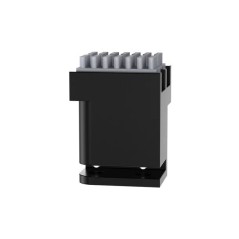
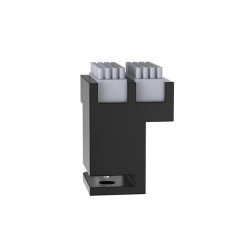
When the AMS repeatedly enters a load–unload cycle and cannot feed filament to the tool head, the issue is typically caused by poor 6-pin cable connections, a stuck buffer slide or spring, or a fault in the AMS buffer or main board; begin by securely reconnecting the 6-pin cable between the buffer and AMS, then check the cable pins if the problem persists.
Step 1: Check the Buffer Spring and Slider
Inspect the buffer to ensure the spring is not stuck and confirm that the slider moves smoothly from side to side.

Step 2: Check the AMS Internal Connections
Verify that the internal bus cable inside the AMS is not loose; unplug and reconnect it, then try loading filament again to help determine whether the cable is the cause, and if available, use a multimeter to perform continuity checks on all pins.
Step 3: Measure the Voltage
If the bus cable continuity is normal, unload the filament and ensure the AMS buffer slider is positioned on the left, then measure the voltage across the pins of the unplugged 6-pin cable, confirming it matches the expected values, as the reading will differ if the slider is not fully left.
Specific References
No customer reviews for the moment.
Auckland Local Stock
Authorized NZ Distributor – Marvle3D
*Bambu Lab Part- Bus Cable - 1100MM 6pin for AMS 2 Pro/ AMS HT
-1100mm 6pin bus cable for AMS connection
-Enables direct link to H2D printers
-Durable plastic and metal construction
-Lightweight design for easy routing
-Official replacement for stable communication
Compatible With: Bambu Lab AMS 2 Pro, AMS HT, H2D
Why Marvle3D?
Marvle3D—New Zealand’s expert since 2016, offering friendly support, in-store demos, and one of the country’s largest ranges.
![3520 AMS Internal Hub Motor for AMS 2 PRO [FAM013]](https://dev.marvle3d.co.nz/16181-home_default/bambu-lab-part-.jpg)
![3520 AMS Internal Hub Motor for AMS 2 PRO [FAM013]](https://dev.marvle3d.co.nz/16179-home_default/bambu-lab-part-.jpg)
![3pc of Ceramic Heater and Hotend Thermistor for P1 [FAH001-CT]](https://dev.marvle3d.co.nz/15833-home_default/bambu-lab-part-ceramic-heater-and-hotend-thermistor-for-p1-3pc.jpg)
![3pc of Ceramic Heater and Hotend Thermistor for P1 [FAH001-CT]](https://dev.marvle3d.co.nz/15834-home_default/bambu-lab-part-ceramic-heater-and-hotend-thermistor-for-p1-3pc.jpg)
![AC Board for X1/ P1 [DLB017]](https://dev.marvle3d.co.nz/16259-home_default/bambu-lab-part-.jpg)
![AC Board for X1/ P1 [DLB017]](https://dev.marvle3d.co.nz/16261-home_default/bambu-lab-part-.jpg)
![Active Chamber Exhaust for H2D [FAC120]](https://dev.marvle3d.co.nz/16208-home_default/bambu-lab-part-.jpg)
![Active Chamber Exhaust for H2D [FAC120]](https://dev.marvle3d.co.nz/16209-home_default/bambu-lab-part-.jpg)
![Active Support Shaft Assembly for AMS 2 Pro [SAA034]](https://dev.marvle3d.co.nz/16473-home_default/bambu-lab-part-.jpg)
![Active Support Shaft Assembly for AMS 2 Pro [SAA034]](https://dev.marvle3d.co.nz/16471-home_default/bambu-lab-part-.jpg)
![AMS 2 Pro Hub for A1 [SA013]](https://dev.marvle3d.co.nz/16332-home_default/bambu-lab-part-a1-mini-ams-hub-for-ams-2-pro.jpg)
![AMS 2 Pro Hub for A1 [SA013]](https://dev.marvle3d.co.nz/16333-home_default/bambu-lab-part-a1-mini-ams-hub-for-ams-2-pro.jpg)
![AMS Active Support Shaft Assembly [SA001-S2]](https://dev.marvle3d.co.nz/15836-home_default/bambu-lab-part-ams-active-support-shaft-assembly.jpg)
![AMS Active Support Shaft Assembly [SA001-S2]](https://dev.marvle3d.co.nz/15837-home_default/bambu-lab-part-ams-active-support-shaft-assembly.jpg)
![Hotend Silicone Sock for H2 [FAH022]](https://dev.marvle3d.co.nz/14194-home_default/bambu-lab-h2d-series-hotend-silicone-sock.jpg)
![Hotend Silicone Sock for P2S [FAH048]](https://dev.marvle3d.co.nz/16343-home_default/bambu-lab-part-hotend-silicone-sock-for-p2s.jpg)
![Hotend Silicone Sock for P2S [FAH048]](https://dev.marvle3d.co.nz/16345-home_default/bambu-lab-part-hotend-silicone-sock-for-p2s.jpg)
![PTFE Tube Bracket for P2S [FAC152]](https://dev.marvle3d.co.nz/16707-home_default/bambu-lab-part-filament-buffer-for-p2s.jpg)
![PTFE Tube Bracket for P2S [FAC152]](https://dev.marvle3d.co.nz/16705-home_default/bambu-lab-part-filament-buffer-for-p2s.jpg)
![Filament Buffer for P2S [SA011]](https://dev.marvle3d.co.nz/16617-home_default/bambu-lab-part-filament-buffer-for-p2s.jpg)
![Filament Buffer for P2S [SA011]](https://dev.marvle3d.co.nz/16618-home_default/bambu-lab-part-filament-buffer-for-p2s.jpg)